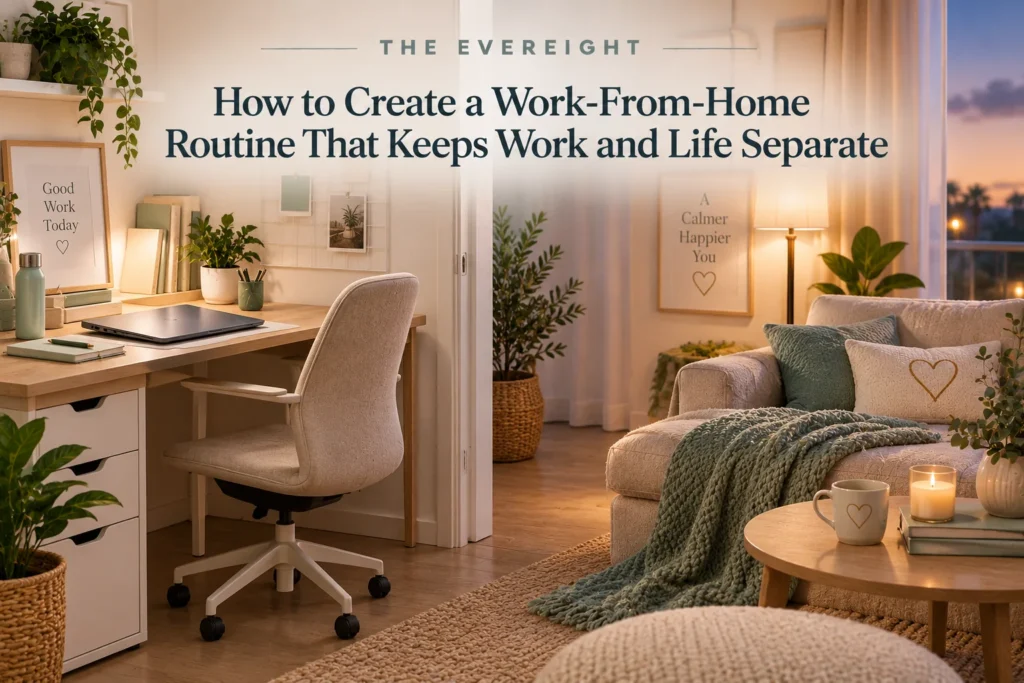
Working from home removes a commute, but it also removes a natural boundary.
Without deliberate transitions, work can begin before breakfast, continue through dinner and remain mentally open all evening. The solution is not to recreate an office perfectly at home. It is to give the workday a clear beginning, structure and ending.
Quick Answer
Set a regular start range, create a consistent work location when possible, decide how you will handle communication, take real breaks, and use a shutdown routine that closes open tasks. Keep work devices and materials out of leisure spaces where practical. Your routine should fit your job, household, caregiving responsibilities and available space.
Start With a Workday Boundary
Choose a normal start and finish range.
This may be:
- Fixed.
- Flexible within an hour.
- Split around caregiving.
- Based on team coverage.
The important part is knowing when work is expected to be active.
Create a Start Cue
A start cue tells your brain the workday has begun.
Examples:
- Short walk.
- Make coffee and sit at desk.
- Open calendar and task list.
- Put on work headphones.
- Turn on a dedicated work light.
Keep it simple.
Use a Defined Workspace
A separate room is ideal for some people but not necessary.
A defined workspace can be:
- Desk.
- Table corner.
- Folding setup.
- Small workstation.
If the same table is used for dinner, pack work away at the end.
Physical reset creates separation.
Ergonomics Matter
For frequent computer work, aim for a setup that supports comfortable posture and allows position changes.
Consider:
- Screen height and distance.
- Chair support.
- Keyboard and mouse position.
- Lighting.
- Movement breaks.
Persistent pain, numbness or other symptoms deserve appropriate professional assessment.
Do Not Work From Bed by Default
Occasional exceptions happen.
But using the bed as the regular office can blur sleep and work cues and may create uncomfortable posture.
Article #58 covers sleep routines.
Dress for the Transition You Need
You do not need formal office clothes.
Changing from sleepwear into daytime clothing can create a useful boundary for some people.
Others do not need it.
Use the cue if it helps.
Plan the First 15 Minutes
Do not start by opening every communication channel.
Try: 1. Check calendar. 2. Identify first priority. 3. Scan genuinely urgent communication. 4. Begin.
This prevents the inbox from deciding the entire day.
Set Communication Expectations
Remote work depends on communication.
Clarify:
- Expected response times.
- Urgent channels.
- Meeting norms.
- Availability.
- Focus periods.
- Time-zone expectations.
Do not silently ignore team communication in the name of focus.
Boundaries work best when expectations are explicit.
Manage Notifications
Keep necessary alerts.
Reduce:
- Promotional notifications.
- Duplicate alerts.
- Nonurgent channel activity.
Use status or focus indicators where your workplace supports them and where team norms allow.
Specific software features vary.
Use Focus Blocks
Protect periods for work requiring concentration.
A block might be:
- 30 minutes.
- 60 minutes.
- 90 minutes.
Your role may require shorter blocks.
Article #63 covers realistic time blocking.
Take a Real Lunch
If possible, step away from the workstation.
Eat.
Move.
Look away from the screen.
A lunch break is not wasted productivity.
Add Movement
Without a commute or office walking, daily movement can decrease.
Options:
- Short walk.
- Standing break.
- Stretch.
- Household movement during a break.
- Exercise before or after work.
Article #52 covers walking for fitness.
Use a Fake Commute
A short transition can replace the psychological role of commuting.
Before work:
- Walk around the block.
- Sit outside.
- Listen to a short podcast.
After work:
- Walk.
- Change clothes.
- Put equipment away.
The purpose is transition, not distance.
Household Boundaries
If other people are home, discuss:
- When you can be interrupted.
- What counts as urgent.
- Meeting times.
- Shared space.
- Noise.
- Care responsibilities.
A closed door is not a complete communication plan.
Working With Children at Home
Some days require flexibility.
Identify:
- High-focus windows.
- Lower-focus tasks.
- Backup care when available.
- Meeting constraints.
Do not plan as if interruptions will never occur.
Small-Space Work From Home
When space is limited:
- Use a portable work kit.
- Store laptop and papers after work.
- Use headphones where safe.
- Keep one small visual boundary, such as a desk mat.
- Reset the area at shutdown.
The goal is not a magazine-perfect office.
Work Equipment
Potentially useful items include:
- Appropriate chair.
- External keyboard or mouse.
- Monitor or stand.
- Headset.
- Desk lamp.
- Cable management.
Buy based on a real comfort or workflow need.
Do not assume an expensive ergonomic product will fix pain or posture by itself.
Employer-Provided Equipment
Check workplace policy before purchasing.
Some employers provide equipment, reimbursement or required devices.
Do not connect unapproved hardware or storage to company systems.
Information Security at Home
Follow employer requirements for:
- Devices.
- Passwords.
- Network access.
- File storage.
- Printing.
- Disposal.
- Confidential conversations.
Do not move work files into personal apps for convenience unless approved.
End-of-Day Shutdown
A five-minute shutdown can include: 1. Capture unfinished tasks. 2. Choose tomorrow’s first action. 3. Check tomorrow’s calendar. 4. Close work applications. 5. Put away work materials. 6. Say “work is finished” through a physical cue such as turning off the desk light.
The ritual reduces open loops.
After-Hours Messages
Your response expectations depend on your job.
If after-hours availability is not required, consider muting nonessential work notifications.
If on-call duties exist, keep the channels required for them.
Do not use generic boundary advice to ignore contractual or safety responsibilities.
Prevent Work Creep
Watch for:
- Checking email from bed.
- Opening the laptop during dinner.
- Doing “one quick thing” repeatedly.
- Keeping work chat open all evening.
- Never taking leave because home is also the office.
Create deliberate exceptions rather than permanent availability.
Social Isolation
Remote work can reduce casual social contact.
Consider:
- Planned colleague conversations.
- Coworking where appropriate.
- Lunch with a friend.
- Community activities.
- Exercise outside home.
Social needs vary.
Hybrid Work
If you split office and home days, keep core systems consistent:
- Same task list.
- Same calendar.
- Same file locations.
- Similar shutdown.
Avoid maintaining separate work systems for each location unless required.
A Sample Work-From-Home Day
8:15: Transition/start cue.
8:30: Calendar and first priority.
9:00: Focus work.
10:30: Break.
11:00: Meetings/collaboration.
12:30: Lunch away from desk.
13:15: Administrative work.
14:00: Project work.
15:30: Movement break.
16:00: Communication/close loops.
16:45: Shutdown.
Times are examples, not prescriptions.
Common Work-From-Home Mistakes
No start boundary: Work begins immediately after waking.
No shutdown: Work remains mentally open.
Eating at the desk every day: Breaks disappear.
Constant notifications: Focus fragments.
Overbuying office gear: Shopping replaces system design.
Using personal tools for company data: Security and policy risk.
When the Routine Needs to Change
Adjust when:
- Role changes.
- Family schedule changes.
- Meetings increase.
- Energy patterns change.
- Workspace changes.
- Pain develops.
- Boundaries repeatedly fail.
A routine is a tool, not a permanent rule.
EverEight Pro Tip
Create one physical “closed” signal for your workspace. Put the laptop in a drawer, fold the desk, cover the work surface or turn off a dedicated lamp. A visible ending can be more effective than telling yourself not to think about work.