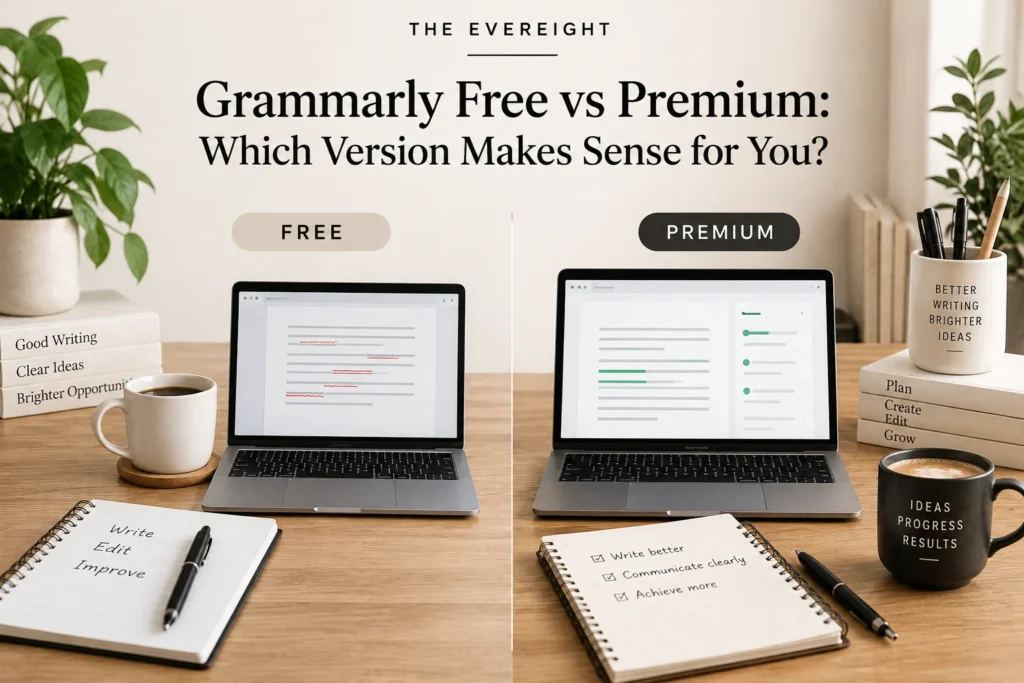
Searching for “Grammarly Free vs Premium” is slightly more complicated than it used to be.
Grammarly has been transitioning its directly purchased Premium plan toward Grammarly Pro. At the same time, Grammarly’s official support documentation says Premium can remain available to some subscribers who purchased through the App Store or Google Play.
So the practical comparison in 2026 is not simply Free versus one universal Premium plan.
It is Free versus the paid Grammarly option currently available through your purchase channel and account.
Editorial Note: This comparison is based on current official Grammarly documentation. Plan names, AI allowances, pricing and feature allocation can change.
Quick Answer
Choose Grammarly Free if you mainly want everyday correctness support and limited AI assistance.
Consider the current paid plan if you repeatedly need advanced rewrites, tone assistance, plagiarism/citation features, higher AI usage or team-oriented writing tools.
If your account still shows Grammarly Premium, compare its current inclusions with Grammarly Pro before changing anything.
Do not pay because an old article says “Premium is essential.”
Why the Name Is Confusing
Grammarly began moving direct Premium subscribers to Grammarly Pro.
Current Grammarly support information says:
- Pro replaces the older paid experience for many direct subscribers.
- Premium can remain for some mobile-store subscribers.
- Pro can serve individuals and teams.
- Exact migration timing and account status can vary.
That means your account page is more reliable than a screenshot from an old review.
Grammarly Free
Grammarly Free currently includes core assistance intended to help people write with fewer mistakes and understand tone.
It also includes access to generative AI with a lower usage allowance than paid tiers.
Free is appropriate when:
- You write occasionally.
- You mainly need proofreading.
- You want to test Grammarly.
- AI is a minor part of your workflow.
- You do not need paid team controls.
Grammarly Premium
For users who still have Premium through supported purchase channels, Grammarly’s official support documentation describes Premium as an individual paid plan with advanced writing features, plagiarism detection and a monthly generative-AI allowance.
Because Premium is part of a product transition, do not assume a new web purchaser can select the same plan.
Check the purchase channel and current account.
Grammarly Pro
Grammarly Pro is the current paid plan Grammarly promotes for individuals and teams through its web experience.
Current official information describes advanced writing support, generative AI and additional team-oriented capabilities.
For an individual, the important question is whether those paid writing capabilities matter.
For a team, also evaluate administration, shared style and governance needs.
Correctness: Free May Be Enough
If your main goal is:
- Catch typos.
- Improve basic grammar.
- Check punctuation.
- Get everyday writing feedback.
start with Free.
Do not upgrade before you know what Free fails to solve.
Advanced Rewriting
Paid Grammarly plans provide more advanced writing assistance than Free.
This can matter when you regularly:
- Rewrite business messages.
- Adjust tone.
- Improve clarity.
- Rework sentences.
- Polish high-volume content.
The value depends on frequency.
Generative AI
Grammarly currently gives different monthly AI allowances to Free and paid users.
Official Grammarly pages have reflected product changes over time, so verify the current allowance shown on the plan page at the time you subscribe.
Do not buy a year solely for a prompt number.
Ask whether the AI output actually improves your workflow.
Plagiarism and Citation Support
Current Grammarly paid-plan documentation includes plagiarism detection and citation assistance.
This can be useful for:
- Writers.
- Students within academic rules.
- Researchers doing an initial review.
It is not a replacement for:
- Academic integrity policies.
- Source reading.
- Citation verification.
- Copyright advice.
Tone Assistance
Free provides some tone awareness, while paid offerings add more advanced writing and tone capabilities.
Tone tools are helpful for:
- Email.
- Customer service.
- Workplace communication.
But they cannot know every relationship or cultural context.
Read the message yourself before sending.
Team Features
Grammarly Pro currently supports individual and team use within stated seat ranges, with features such as shared style-related tools and usage information described in official materials.
If you are buying only for yourself, team features should not be counted as value.
If you are buying for work, compare Pro with any enterprise or institutional requirements.
Platform Support
Free and paid Grammarly experiences can work across Grammarly’s supported desktop, browser and mobile products.
Current official requirements include modern Windows and macOS versions and supported mobile operating systems.
Specific compatibility changes.
If Grammarly must work in one critical application, verify that environment directly.
Free vs Paid for Email
Free can be enough for basic everyday email.
Paid becomes more useful if you frequently:
- Rewrite.
- Change tone.
- Generate drafts.
- Need advanced suggestions.
The faster your email volume grows, the more repeated time savings matter.
Free vs Paid for Students
Students should first follow school policy.
Free may provide sufficient proofreading.
Paid plagiarism/citation or advanced rewriting features can be useful, but AI assistance may be restricted by an instructor or institution.
Never use paid AI capability as permission to bypass academic rules.
Free vs Paid for Content Writers
Paid access can make more sense for writers producing high volume.
Still, do not outsource:
- Fact checking.
- Source evaluation.
- Editorial judgment.
- Original insight.
A writing assistant can polish a weak argument without making it true.
Free vs Paid for Small Teams
A team should evaluate:
- Shared writing standards.
- Brand tone.
- Administration.
- User management.
- Security.
- Policy.
- Cost per user.
Do not choose a team plan only because individual writers like the grammar checker.
Pricing
Free costs nothing.
Paid pricing depends on the current plan, billing cycle, purchase channel and region.
Grammarly publishes current rates on its official plan pages.
Article #83 focuses on pricing and value.
A Two-Week Upgrade Test
Week 1: Use Free normally.
Record every time you need something Free does not provide.
Week 2: Group those limitations:
- Rewriting.
- AI.
- Tone.
- Plagiarism.
- Citation.
- Team consistency.
- Other.
Then ask: How often would the paid capability solve this?
If the answer is rarely, keep Free.
When Free Makes More Sense
Stay free when:
- You are satisfied with core suggestions.
- AI usage is light.
- You write infrequently.
- Built-in tools already cover advanced needs.
- You are still learning how Grammarly fits.
When Paid Makes More Sense
Consider paid when:
- Writing is daily work.
- Advanced rewrites are frequent.
- Paid tone/style assistance reduces real editing time.
- Plagiarism/citation tools fit your workflow.
- Higher AI usage is genuinely needed.
- Team features solve an organizational need.
The EverEight Verdict
For most new users, Grammarly Free is the correct first plan.
A paid plan becomes sensible after your writing routine exposes repeated limitations.
And because Grammarly is in a plan transition, verify whether your account offers Pro, Premium or another applicable option before comparing price.
EverEight Pro Tip
Keep a tally called “Would Paid Have Helped?” for ten working days. One mark is not a reason to subscribe. A pattern of the same limitation appearing again and again is.