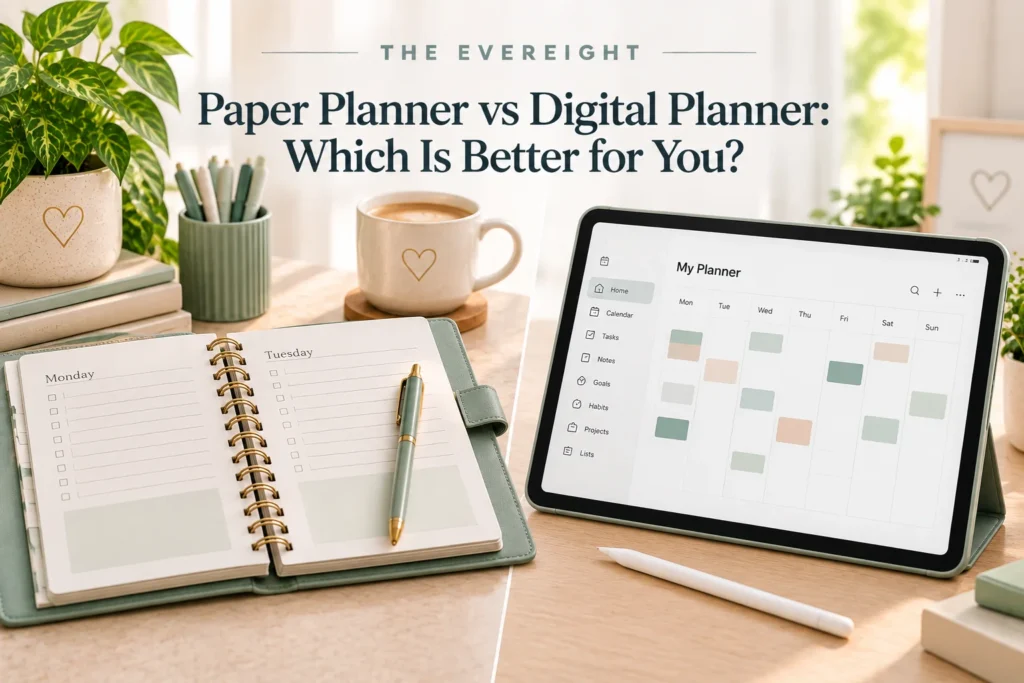
Paper and digital planners solve the same basic problem in different ways: they help you see commitments and decide what deserves attention.
Neither format is automatically more productive.
A paper planner can be fast, visible and distraction-free. A digital planner can be searchable, portable across devices and capable of reminders. The better choice depends on how you think, where you plan, whether your schedule changes frequently and how much setup you are willing to maintain.
Quick Verdict
Choose paper if handwriting helps you think, you want fewer digital distractions, and your plans do not change constantly.
Choose digital if you need reminders, frequent rescheduling, search, access across locations or collaboration.
Choose a hybrid system if calendar commitments change often but you prefer planning priorities on paper.
The best planner is the one you can trust and maintain.
What Counts as a Paper Planner?
Paper planning can include:
- Bound weekly planners.
- Daily planners.
- Bullet-style notebooks.
- Desk pads.
- Printable planning pages.
- Simple notebooks.
You do not need a specialized branded system.
What Counts as a Digital Planner?
Digital planning can include:
- Calendar applications.
- Task managers.
- Notes-based planning.
- Tablet planner files.
- Dedicated planning software.
- Project-management tools used personally.
Features vary widely and change over time.
This comparison focuses on the format rather than specific products.
Paper Planner Advantages
Fast visual overview
A weekly spread can show the whole week without navigating menus.
Handwriting
Some people think more clearly when writing by hand.
Fewer digital distractions
A notebook does not display incoming messages.
Flexible marks
You can circle, draw, highlight or write anywhere.
Ownership
A physical planner remains usable without an account or subscription.
Paper Planner Disadvantages
No automatic reminders
You need to look at it.
Rescheduling can become messy
Frequently changing plans require crossing out or rewriting.
Limited search
Finding a note from six months ago can take time.
One physical location
If the planner is at home, you may not have it at work.
Loss or damage
A lost notebook may not have a backup.
Digital Planner Advantages
Easy changes
Tasks and events can usually be moved without rewriting.
Reminders
Digital systems can alert you to selected commitments where supported.
Search
Past tasks, notes and events may be easier to find.
Access
Many digital tools can be available across supported devices.
Recurring items
Some systems can repeat routine tasks or events.
Collaboration
Certain tools allow shared calendars, projects or tasks.
Specific capabilities depend on the software and plan and must be verified before relying on them.
Digital Planner Disadvantages
Distraction
Opening a device may expose messages, social media and other apps.
Setup temptation
Digital tools can encourage endless customization.
Dependency
Access can depend on device, account, internet connection or software availability.
Privacy
Planning data may include sensitive information.
Understand the provider’s privacy and sharing settings.
Changing features and costs
Software plans, limits and capabilities can change.
Verify current information before buying.
Which Is Better for a Changing Schedule?
Digital usually handles frequent rescheduling more cleanly.
Meetings can move.
Tasks can be reordered.
Reminders can update.
If your workday changes constantly, rewriting a paper page may become frustrating.
Which Is Better for Focus?
Paper can reduce digital switching.
A visible notebook beside your computer may keep priorities in view without another browser tab.
However, a simple digital full-screen view can also work.
Focus depends partly on how you use the tool.
Which Is Better for Memory?
Writing by hand can encourage slower processing and may help some people engage more deliberately with information.
But planning is not a memory contest.
If digital reminders prevent missed appointments, that practical benefit may matter more.
Which Is Better for Long-Term Records?
Digital search can be useful for retrieval.
Paper provides a physical archive.
For important records, neither planner should replace appropriate document storage.
Do not keep critical legal, financial or medical records only in a planner.
Which Is Better for Privacy?
Paper can keep information offline, but anyone with physical access may read it.
Digital tools can offer access controls, but privacy and security depend on the provider, account settings, device and user behavior.
Do not assume either format is automatically secure.
Which Is Better for People Who Love Decorating?
Paper offers stickers, pens and layouts.
Digital planners may support visual customization depending on the tool.
Decoration is helpful if it makes planning enjoyable.
It becomes unhelpful when decorating replaces deciding and doing.
Which Is Better for Minimalists?
Either.
A minimalist paper system:
- Calendar.
- Three priorities.
- Task list.
A minimalist digital system:
- Calendar.
- Task list.
- Notes.
Minimalism is about the workflow, not the medium.
Which Is Better for Neurodivergent Users?
There is no universal answer.
Paper may help with:
- Visual permanence.
- Tactile engagement.
- Fewer notifications.
Digital may help with:
- Reminders.
- Search.
- Recurring tasks.
- Reordering.
- External prompts.
Some people benefit from a hybrid approach.
Choose based on the support you actually need rather than a label.
The Hybrid Method
A hybrid system can be extremely simple:
Digital:
- Appointments.
- Meetings.
- Deadlines.
- Shared commitments.
Paper:
- Today’s priorities.
- Notes.
- Brain dump.
- Weekly reflection.
This avoids duplicating every task in both places.
Avoid Double Entry
The biggest hybrid-system problem is copying everything twice.
Give each tool a role.
Example:
- Calendar events live digitally.
- Daily focus lives on paper.
- Project notes live in one notes system.
Do not maintain identical calendars unless you have a clear reason.
Cost
Paper planners range from inexpensive notebooks to premium products.
Digital tools range from free to paid.
Prices and subscription models change.
Compare total cost only after identifying the functions you need.
Do not pay for a feature list you will not use.
A Seven-Day Paper Test
Use one sheet or notebook.
Each day write:
- Appointments.
- Three priorities.
- Other tasks.
At week’s end ask:
- Did I look at it?
- Was rewriting annoying?
- Did handwriting help?
- Did I miss reminders?
A Seven-Day Digital Test
Use tools you already have before buying anything.
Set:
- Calendar commitments.
- A short task list.
- Only essential reminders.
At week’s end ask:
- Did notifications help?
- Did I over-customize?
- Was search useful?
- Did the device distract me?
Decision Table
Choose paper if:
- You enjoy handwriting.
- Visual permanence matters.
- Your schedule is fairly stable.
- You want fewer screens.
- You prefer flexible free-form notes.
Choose digital if:
- Your schedule changes often.
- Reminders matter.
- You need search.
- You work across locations.
- You collaborate.
Choose hybrid if:
- You need digital calendar reliability but prefer paper for thinking and daily focus.
What to Look for in a Paper Planner
Consider:
- Page layout.
- Size.
- Binding.
- Paper feel.
- Portability.
- Daily vs weekly view.
- Amount of writing space.
Do not buy a planner with sections you already know you will ignore.
What to Look for in a Digital Planner
Consider:
- Ease of capture.
- Calendar/task structure.
- Search.
- Reminder needs.
- Supported devices.
- Export or backup options.
- Privacy requirements.
- Collaboration needs.
- Total cost.
Verify current capabilities from the provider before choosing.
Common Planner Mistakes
Buying before defining the problem: Tool comes before need.
Switching constantly: No system becomes familiar.
Duplicating everything: Maintenance doubles.
Using too many categories: Planning becomes administration.
Expecting the planner to create time: Capacity remains unchanged.
The EverEight Verdict
Paper wins for simplicity, handwriting and low-distraction planning.
Digital wins for changing schedules, reminders, search and collaboration.
Hybrid often works best for people who want digital reliability without doing all of their thinking on a screen.
There is no need to choose one format forever.
EverEight Pro Tip
Before buying a new planner or app, imitate its core layout for one week using paper or tools you already own. If the workflow helps, then evaluate whether a dedicated product would make it easier.
Three Paper Planning Options Worth Considering
Paper planning can be useful if you enjoy handwriting, want fewer digital distractions, or prefer keeping weekly priorities visible. These options suit different styles; you do not need all three.
Affiliate disclosure: As an Amazon Associate, The EverEight earns from qualifying purchases.
- Taja Undated Weekly Planner with Habit Tracker: A structured weekly layout for appointments, tasks, and habits. An undated format lets you start when you’re ready. View on Amazon.
- PAPERAGE Dotted Journal Notebook: Flexible dotted pages for your own lists, weekly layouts, and trackers. This requires more setup than a preprinted planner. View on Amazon.
- ThreeKin Weekly Planner Tear-Off Notepad: A simple weekly desk overview for tasks and priorities without maintaining a full notebook. View on Amazon.
Paper or digital? A ready-made planner suits structure, a dotted notebook suits customization, and a desk pad suits a visible weekly overview. If reminders, frequent changes, or cross-device access matter most, a digital tool may be more useful.